
Your own AI instead of the cloud. Data sovereignty instead of API dependency. The plan was clear, the hardware impressive, the anticipation high. We set up a server that would have passed for a supercomputer just two years ago – Threadripper, Blackwell GPU, 96 GB VRAM – assembled everything, configured everything, loaded the model. And then? Silence. Black. Off. No blue screen, no log entry, no sign of life. Just a toggle switch on the power supply that had somehow become the only power button. Read on and benefit from our experience.
Why we don't want the cloud – and built Balrog
As a cybersecurity company, we work daily with data that simply cannot travel through third-party API endpoints: pentest findings, security findings, internal analyses. What doesn’t go to the cloud can’t be intercepted there. ChatGPT and the like are not an option for us.
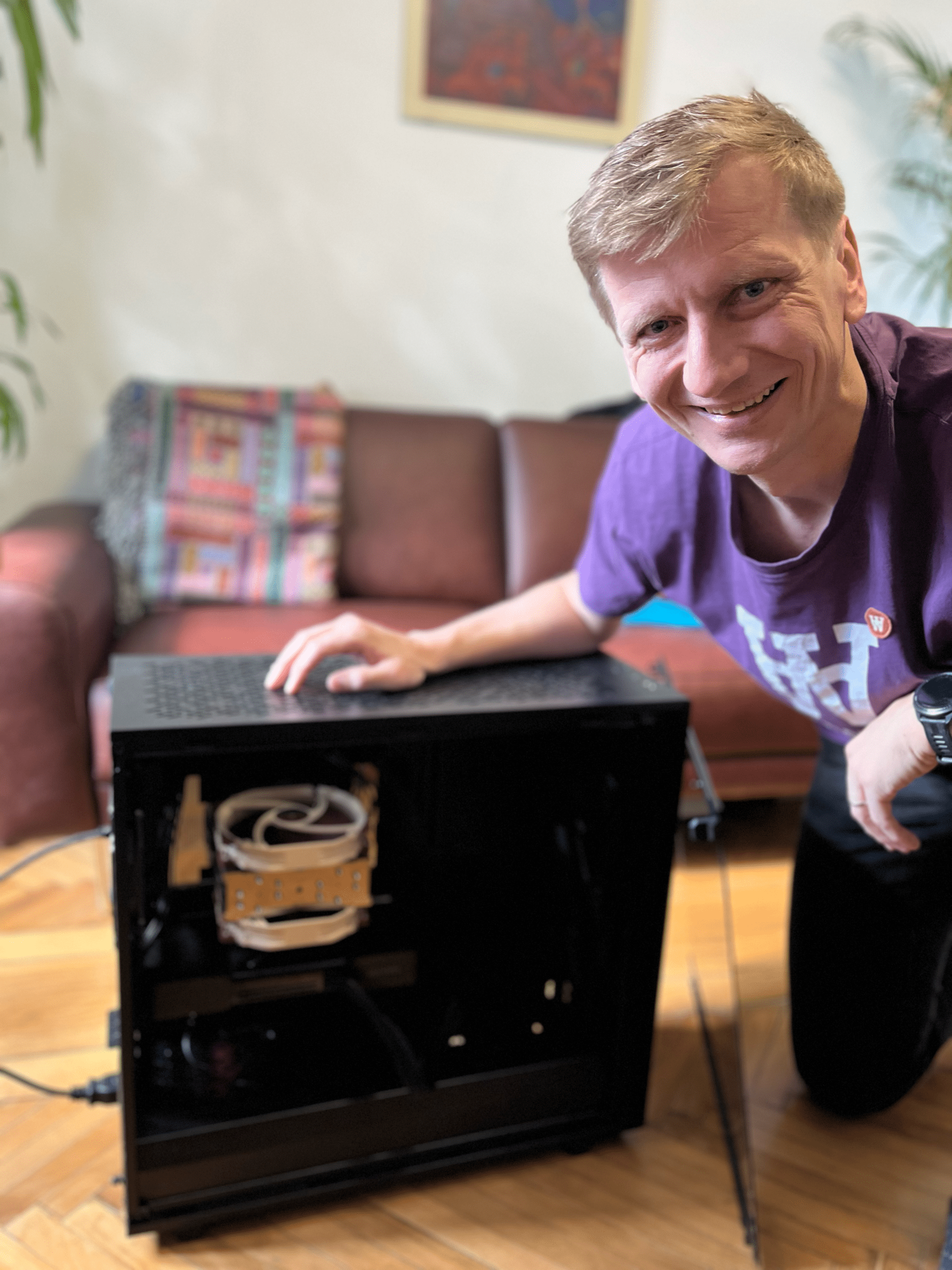
So: our own AI, our own servers, full control. Balrog is our internal LLM system – AMD Threadripper 7960X, NVIDIA RTX PRO 6000 Blackwell with 96 GB VRAM, 256 GB RAM. Hardware that would have been called a supercomputer just two years ago.
The symptom: GPU workstation dies without warning
The workstation is running. GPU temperature stable, memory utilization normal, PCIe link at Gen5 x16, LLM inference with 262,144 token context running through. And then – total silence. No kernel panic. No blue screen. No NVIDIA Xid error. No log entry. Nada.
The power button at the front no longer responds. The only way to restart Balrog is the toggle switch at the back of the power supply. That one only. No other way.
The diagnosis: Everything negative – and that's the actual finding
In security, we know the principle: the absence of evidence is itself evidence. When all monitoring layers go silent simultaneously, the problem lies deeper than software.
What we checked:
- Kernel logs (journalctl): No panic, no watchdog timeout, no segfault
- NVIDIA GPU diagnostics: No Xid error, no temperature warning
- pstore (Persistent Storage): Empty – no firmware-level crash record
- netconsole: No output at the receiving host
- rasdaemon: Zero MCE events, zero PCIe errors, zero memory errors
- GPU telemetry up to the last second: Moderate load, stable temperatures, no power limit throttling
📌 Conclusion: All logging layers stopped writing simultaneously – because their power was cut. The error is at the hardware level, below any software monitoring capability.
The culprit: Multi-Rail OCP – the power supply protecting itself from us
Our be quiet! Dark Power Pro 13 with 1,600 watts distributes its power not through a single line, but through six independent 12V rails. Each rail has its own overcurrent protection: OCP at ~55 amperes, i.e. ~660 watts per rail.
The problem in numbers: The RTX PRO 6000 Blackwell draws 600 watts in continuous operation – already 91% of the per-rail limit. During LLM inference, attention layers and matrix multiplications generate explosive, short-term load spikes. Tests on comparable Blackwell GPUs (RTX 5090) have measured transient spikes of 128–157% of TDP – i.e. 770 to over 900 watts for microseconds.
That’s enough to trigger the per-rail OCP. And OCP latches: the power supply doesn’t briefly shut off and restart – it enters a permanent shutdown state. The only way to reset it is to completely disconnect from the mains.
Why doesn’t the power button work anymore? When OCP latches, the mainboard loses standby voltage (5V_SB). Without 5V_SB it cannot send the PS_ON# signal to the power supply – the front power button is physically dead. Only when the toggle switch at the back discharges the capacitors does the latch reset.
The fix: Switching the Overclocking Key (OCK) to Single-Rail
The be quiet! Dark Power Pro 13 has a physical switch on the back: the Overclocking Key (OCK). Default state: multi-rail mode. Flipped once: all six 12V rails are combined into a single, massive rail.
| Mode | OCP Limit | Result |
|---|---|---|
| Multi-Rail (default) | ~660 W per rail | GPU spikes trigger OCP → Latch-Off |
| Single-Rail (OCK active) | ~2,240 W (140% total) | Max. system load ~1,440 W → no problem |
The power supply never lacked total wattage – 1,600 watts continuous load, up to 3,200 watts for transient spikes. The problem was the artificial per-rail limitation. One switch flip, and Balrog runs stable.
How to do it:
- Shut down system, turn off power supply
- Flip OCK switch from multi-rail to single-rail
- Start up, run LLM inference
- No more crashes → root cause confirmed ✓
What else to keep in mind
- Check GPU VBIOS: Early RTX PRO 6000 Blackwell units had faulty firmware (version 98.02.52.00.2). Check via
nvidia-smi --query-gpu=vbios_version --format=csv– if affected: contact NVIDIA support. - Test PCIe Gen5 → Gen4: Gen5 operates at the edge of signal integrity. A downgrade costs 1–2% GPU performance but eliminates PCIe errors as a possible cause.
- Harden BIOS settings: Disable Global C-States, ASPM, and DF C-States. AMD explicitly recommends this for GPU workstation setups – these power-saving features can cause instability under high-load workloads.
- Kill-A-Watt: A power meter between the outlet and power supply provides clarity. If the reading drops abruptly to 0 W during a crash, the OCP latch is confirmed.
Conclusion: When the culprit is a switch
The power supply didn’t fail. It did exactly what it was built to do – and in doing so, regularly cut Balrog’s power. The new generation of AI GPUs brings power requirements that classic multi-rail configurations were not designed for. Anyone running local LLM inference on high-end hardware should keep this in mind – before spending days debugging software while the actual cause was a switch on the power supply.
Want to know what attackers can see about your company from the outside? Check your external attack surface for free now.
Sources that helped us find the fix
- Intel ATX 3.0 Multi Rail Power Supply Design Guide – Over-Current Protection Specification: edc.intel.com
- Tom’s Hardware – be quiet! Dark Power Pro 13 1300W PSU Review: tomshardware.com
- NVIDIA Developer Forums – RTX PRO 6000 Blackwell: Recurring full chip reset during sustained LLM inference: forums.developer.nvidia.com
- Level1Techs Forum – Threadripper 7000 / WRX90 / TRX50 System Build and Stability Issues Survey: forum.level1techs.com
- AMD Instinct Documentation – Recommended BIOS Settings for GPU Workloads: instinct.docs.amd.com
- be quiet! Dark Power Pro 13 1600W – Product Specification: bequiet.com